
Find Out Why Your Garage Door Is Not Moving—Without Taking Unsafe Risks
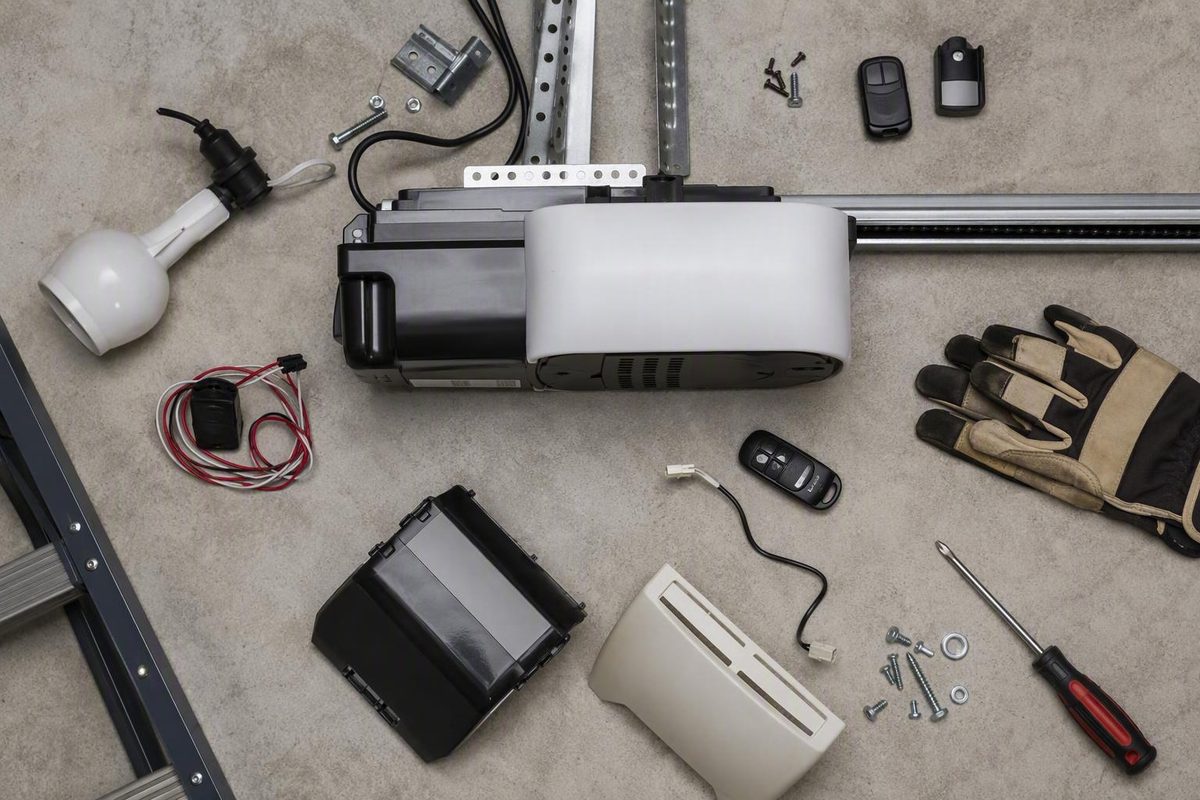
When a garage door opener does not work, replacing parts at random is rarely the best first move. Follow the symptom instead.
Begin with three observations:
- Which controls work? Test the wall control, each remote, and the keypad separately.
- What does the opener sound like? Note silence, clicking, humming, grinding, or apparently normal operation.
- What moves? Watch the opener trolley and the door independently from a safe position.
These observations can narrow the fault to power, an external control, the opener, or the door system. They cannot, by themselves, prove that a receiver, circuit board, motor, gear, or trolley has failed.
Start Here: Make the Area Safe and Record the Exact Symptom
Keep people, pets, vehicles, tools, and stored items out of the door’s path before testing anything. Do not stand or walk beneath a raised door, and do not let anyone operate a control while you inspect the system.
Do not pull the emergency-release cord if the door is:
- Open or partly open
- Visibly crooked
- Off its track
- Hanging or unstable
- Unusually heavy
- Suspected of having a broken spring or cable
Releasing an open or unstable door can allow it to move or fall unexpectedly. Perform general troubleshooting with the door down, and leave spring or cable problems to a qualified technician. Home Depot’s guidance similarly warns against pulling the emergency release while the door is open because the door could fall (garage-door troubleshooting safety guidance).
Before inspecting visible wiring or anything inside the opener, unplug it. This homeowner-level procedure does not include opening the motor housing, probing terminals, testing energized wiring, or replacing internal electrical or drive components (homeowner troubleshooting safety boundaries).
Stop immediately and arrange qualified service if you find:
- A visibly separated or broken spring
- A loose, frayed, or snapped cable
- A door that is off its track, hanging unevenly, or unstable
- A bent, separated, or badly damaged track
- A loose opener rail or ceiling mount that moves during operation
- Exposed conductors or damaged electrical insulation
- Smoke, sparks, scorching, or a burning odor
- A door that drops, rises abruptly, or cannot remain stable
- A motor that strains or grinds while the door binds
Springs and cables can be under substantial tension, while an unstable or unbalanced door can move unexpectedly. Commercial service guidance identifies spring, cable, track, electrical, circuitry, and unresolved motor problems as conditions requiring professional attention.
Classify the symptom before proceeding
Run only the minimum tests needed to place the problem into one of these groups:
- No response from any control: The wall control, remotes, and keypad all fail.
- Only a remote or keypad fails: The wall control still operates the door.
- The door starts closing and reverses: Or it refuses to close.
- The motor runs but the door stays still: With or without trolley movement.
- The door travels partly, jerks, or makes abnormal noise.
Write down exactly what happens. “The opener does not work” is less useful than “the wall control works, both remotes fail, and the opener light comes on” or “the motor hums, but neither the chain nor the trolley moves.”
Sounds and movements are clues, not verdicts. Humming can accompany an overloaded opener, a door-system problem, or an internal drive fault. Grinding can arise from several worn, damaged, or misaligned parts. Silence may reflect lost power, a control problem, wiring trouble, or an internal failure.
Use the Controls to Isolate the Fault
Test the wall control, each remote, and the keypad one at a time.
| Test result | What it suggests | Safe next step |
|---|---|---|
| Wall control works; one remote fails | A problem local to that remote or its signal | Check batteries, range, condition, programming, and interference |
| Wall control works; all wireless controls fail | A shared wireless issue or lock setting | Check lock or vacation mode, then model-specific programming and signal issues |
| Remote works; wall control fails | The wall control or its low-voltage connection may be involved | Inspect visible condition and consult the model documentation |
| Keypad works; remote fails | An individual remote problem is more likely | Focus on that remote rather than the opener motor |
| No control works | A power or broader opener issue | Follow the power-path checks below |
| Controls activate the opener, but travel is abnormal | Sensors, door movement, trolley, or settings may be involved | Follow the section matching the movement symptom |
This comparison does not establish that any component is defective. It tells you where to investigate next.
If the wall control works but one remote does not, start with that remote’s batteries, operating range, physical condition, programming, and signal path. If another remote works normally, the first remote becomes the more likely fault area.
If every wireless control fails but the wall control works, check whether the wall console’s lock, vacation, or similarly named mode is enabled. Some consoles use that setting to disable wireless controls while retaining wall-button operation. Only after ruling it out should you consider programming, antenna condition, interference, or receiver trouble (control-isolation troubleshooting).
If a remote works but the wall control does not, examine the wall control for visible physical damage. Look at accessible low-voltage cable without touching bare conductors. A damaged control or connection is possible, but do not perform live electrical testing. Consult the model documentation or call a technician.
Also ask what changed immediately before the failure:
- Was there a power outage?
- Was a remote dropped?
- Did someone press the lock button?
- Was a new electronic device installed nearby?
- Was the opener’s bulb recently replaced with an LED bulb?
- Was the emergency release used?
A recent event may help explain the symptom, but it does not prove the diagnosis. Before reprogramming a control or changing console settings, find the opener’s model number—commonly printed on a label attached to the housing—and search the manufacturer’s official support site for the corresponding manual. Label locations vary, so inspect only what is visible and accessible.
When Nothing Responds, Check the Power Path
If the wall control, keypad, and every remote do nothing, do not jump straight to the motor or circuit board. Verify the power path first.
- Check the opener cord. Confirm that it is fully seated in the outlet. Look for crushing, cuts, scorching, or other obvious damage without touching exposed conductors.
- Test the outlet. Plug in a known-working lamp or small device. If that device also fails, the immediate problem is the outlet or upstream electrical supply—not necessarily the opener.
- Check the electrical panel. Look for a tripped breaker or blown fuse serving the garage.
- Check relevant GFCI protection. The opener outlet may be downstream of a GFCI receptacle elsewhere in or near the garage.
- Look for signs of life. Note any courtesy light, diagnostic LED, display, audible response, or error code.
Testing the outlet with another device provides an important dividing line: a dead outlet calls for an electrical-supply investigation, while a live outlet and silent opener move the investigation back toward the opener and its controls (power-path troubleshooting).
Reset a tripped breaker or GFCI only if there is no visible damage, smoke, burning odor, or water exposure.
If the opener displays an error code or flashes a diagnostic light, record the exact code or pattern before disconnecting power. Interpret it through the manual or the manufacturer’s official support material for that exact model. Codes and flash patterns are not universal.
Some manufacturers permit a basic power cycle. If the model instructions allow it, unplug the opener briefly and reconnect it.
If the outlet works, the plug is secure, lock mode has been ruled out, and no control produces a response, possible fault areas include control wiring, the receiver, the control board, or the motor. Silence alone cannot identify the defective component. Persistent no-response behavior after these checks warrants qualified diagnosis rather than speculative parts ordering.
When Only the Remote or Keypad Fails
A working wall button establishes that the opener can receive at least one command. It does not prove that every opener component is healthy, but it makes a localized control or wireless problem the more useful starting point.
Start with the individual control
Install fresh batteries of the specified type, observing polarity. Check the battery contacts for dirt, corrosion, looseness, or damage. If the contacts are badly corroded or broken, replace the control rather than improvising a repair.
Test the control from its normal operating position and then from closer to the opener. If it works only at short range, possible causes include a weak battery, interference, an obstructed signal path, antenna trouble, or a failing remote. If it never works but another remote does, focus on the nonworking remote.
Do not assume a remote and keypad use the same pairing process.
Check lock mode and the signal environment
Look at the wall console for a lock, vacation, or remote-disable indicator. Names and controls differ by model. If the feature is enabled, use the manufacturer’s instructions to disable it.
From the floor, inspect the opener antenna for obvious damage, tangling, or obstruction. Do not dismantle the receiver housing or climb onto an unstable surface to manipulate the antenna.
Nearby electronics, physical barriers, and some LED bulbs can interfere with wireless operation. These are possibilities, not universal explanations. Programming procedures also differ by device and model (remote range and interference checks).
Use these comparisons:
- One remote fails; another works: Concentrate on the failed remote.
- Every remote and the keypad fail; the wall control works: Check lock mode first, followed by shared programming, interference, antenna, or receiver possibilities.
- The keypad works; remotes fail: Investigate the remotes and their programming or signal path.
- A remote works; the keypad fails: Investigate keypad power, condition, code, and programming.
If the issue began after an outage or a dropped remote, programming may have been disrupted. Do not use a generic “learn button” sequence. Button functions, timing, memory behavior, and security procedures vary. Follow the exact pairing instructions for the opener model and control.
Consider replacing an individual remote or obtaining professional receiver diagnosis only after checking batteries, lock mode, range, interference, visible condition, and model-specific programming.
When the Door Will Not Close or Immediately Reverses
First clear the doorway. Remove vehicles, bicycles, tools, stored items, debris, ice, and snow from the door’s travel path. Inspect both tracks from the floor for visible obstructions, but do not force rollers or door sections back into position.
If the opener has safety sensors near the lower portions of the tracks, locate both units. Their arrangement and indicator behavior vary by opener age and model; not every system should be assumed to use the same design.
Check the sensors without bypassing them
- Gently clean both lenses with a soft, dry cloth.
- Make sure nothing blocks the space between them.
- Look for a bracket or sensor that has obviously been bumped.
- Inspect visible wiring for cuts, pulled connections, or crushed insulation.
- Record whether each indicator is solid, blinking, dim, or off.
- Use the model manual to interpret those indicators.
A solid indicator may signify alignment on one system, but it is not a universal diagnostic rule. The exact combination of lights matters.
Moisture, dirt, and direct sunlight can contribute to intermittent sensor behavior. If the problem occurs at a particular time of day, briefly shading the sensor from direct sunlight—without covering its lens during normal operation or altering the system—may help identify light interference. Home Depot’s troubleshooting guide includes dirt, moisture, alignment, and strong sunlight among sensor-related possibilities.
A door that closes only while the wall button is continuously held often warrants inspection of the safety-sensor system. Confirm that behavior in the model documentation; holding the button is not a permanent workaround.
Do not increase closing force as the first response. Check the doorway, sensors, visible wiring, door movement, and model-specific diagnostics before changing travel or force settings. Adjustment procedures vary and should follow the exact opener manual (sensor, setting, and reversal guidance).
If clearing the doorway, cleaning the lenses, and completing a manufacturer-approved alignment procedure do not solve the problem—or if visible sensor wiring is damaged—arrange service. Do not remove, bridge, cover, or electrically bypass a safety sensor to keep the opener operating. Model-approved alignment may involve repositioning a sensor or bracket, but only as directed by the manufacturer.
When the Motor Runs but the Door Does Not Move
Listen and watch from a safe location. Determine whether:
- The motor runs and the trolley moves
- The motor runs but the chain or belt does not move normally
- The trolley moves but the door remains stationary
- The unit hums, clicks, or grinds without sustained movement
First check whether the emergency-release cord was previously pulled. That cord disconnects the door from the opener trolley for manual operation. Re-engagement differs by model, so follow the opener manual rather than assuming the trolley will reconnect through one universal sequence.
If the trolley moves but the door does not, a disconnected or damaged carriage connection is one possibility. These observations do not confirm which part has failed.
A broken spring can also make the door too heavy for the opener. Do not use the opener to overcome a heavy, binding, or unbalanced door; a snapped spring can leave the opener unable to lift the door’s weight.
A tightly bounded manual check
Attempt a manual check only if all of the following are true:
- The door is fully closed.
- The door appears straight and stable.
- No spring is visibly separated or damaged.
- No cable is loose, frayed, or broken.
- The tracks and rollers show no obvious damage or displacement.
- The opener has been disconnected as specified by its manual.
- You can keep your fingers away from panel joints and moving hardware.
If any condition is not met, do not pull the release. Releasing a raised, unstable, off-track, or spring-damaged door can allow uncontrolled movement or a fall (manual-release and closed-door safety guidance).
With the opener disconnected according to the manual, move the closed door cautiously:
- A door that moves smoothly and predictably directs the next investigation toward the opener, trolley, or connection.
- A door that binds, feels unusually heavy, jerks, rises or falls abruptly, moves crookedly, or will not move points toward the door system.
This is a distinction, not a complete diagnosis. Stop immediately if the door feels unstable. Do not leave a questionable door partly open to perform a balance test.
Reconnect the door only through the manufacturer’s procedure. If the trolley does not engage normally, discontinue automatic operation and arrange service. This guide does not cover replacing gears, trolleys, springs, cables, belts, chains, motors, or circuit boards.
When the Door Stops Partway, Jerks, or Makes Abnormal Noise
Clear the doorway and inspect the tracks from the floor for debris or visible blockage. Do not push a roller back into a track, straighten a damaged track, or force a crooked door through its travel.
Run no more cycles than necessary to observe:
- Whether the door stops at the same point each time
- Whether it reverses or simply stops
- Whether one side leads the other
- Whether the trolley moves normally
- Whether the rail or ceiling mounts shake
- Whether the sound is clicking, humming, grinding, scraping, or rattling
- Whether the symptom occurs during opening, closing, or both
Several faults can produce overlapping symptoms. Worn rollers, door imbalance, track damage, rail misalignment, loose mounting, drive wear, and incorrect travel settings may all contribute to jerking, incomplete travel, or noise. Installation guidance also associates loose or misaligned rails and supports with shaking and grinding, but these symptoms still require inspection rather than assumption (rail, mounting, and travel symptoms).
Treat each sound as a warning clue:
- Humming may indicate load or a stalled mechanism.
- Grinding may accompany drive wear, misalignment, or binding.
- Repeated clicking may accompany interrupted operation or a control response.
- Jerking or shaking may involve the door, rail, mounting, or drive.
- Strained slowing may indicate resistance or imbalance.
None of these sounds proves that a particular motor, gear, receiver, or circuit board has failed.
Check for a diagnostic code and consult the owner’s manual before changing travel limits, force, chain tension, or related settings. If the manual permits a travel-limit adjustment, make only small, model-specified changes and test after each one. Do not use universal turn counts or force values.
Avoid broad “lubricate everything” advice. Door and opener manufacturers may specify different lubricants and application points, and some surfaces should not be treated. Use only an approved product in approved locations.
Discontinue operation if:
- The door is crooked or moves unevenly
- A track is damaged or displaced
- The rail or mounting hardware moves
- Grinding persists
- The motor audibly strains
- The door binds or becomes unpredictable
- A cable, spring, roller, or hinge appears damaged
Continuing to cycle a binding or unbalanced door can worsen the underlying condition. It also does not prove that the opener needs a larger motor.
Know When to Call—and Whether to Repair or Replace
Stop troubleshooting and call a qualified garage-door technician for:
- Broken or visibly separated springs
- Loose, frayed, or snapped cables
- An off-track, crooked, hanging, or unstable door
- Bent, separated, or displaced tracks
- A loose rail or moving opener mounts
- Exposed wiring or damaged conductors
- A breaker or GFCI that trips again after one reset
- Smoke, sparks, scorching, or a burning odor
- Suspected internal electrical trouble
- Persistent humming, grinding, or drive failure
- A trolley that will not engage normally
- A door that is heavy, binding, or unpredictable
- A fault that remains after basic power, control, obstruction, and sensor checks
Spring and cable work is excluded because these components can hold substantial tension, while an unstable door can move or fall without warning. Opening an opener housing may expose electrical components and may also create warranty or reassembly problems (professional-service boundaries).
Do not order a receiver, motor, gear, trolley, or control board solely because a symptom resembles a common failure. A humming unit, moving trolley, grinding sound, or silent opener narrows the possibilities but does not confirm the failed part.
Repair-or-replace worksheet
Use actual findings and written quotes rather than a universal age or price rule.
| Factor | Favors repair | Favors replacement |
|---|---|---|
| Overall condition | Isolated, confirmed fault | Multiple worn or damaged systems |
| Failure history | First or infrequent problem | Repeated or escalating failures |
| Diagnosis | Specific replaceable fault confirmed | Multiple faults or an uncertain diagnosis |
| Warranty | Repair is covered or permitted | Coverage has expired or proposed work would compromise it |
| Parts | Correct parts are readily available | Parts are obsolete, unavailable, or incompatible |
| Installation | Rail, mounts, wiring, and sizing are sound | Mounting, alignment, wiring, or fit is poor |
| Safety functions | Present and pass model-specified tests | Missing, unreliable, or cannot be restored |
| Desired functions | Current opener meets household needs | Replacement provides genuinely needed functions |
| Quotes | Repair is reasonable for the overall condition | Replacement offers better overall value |
Age matters, but it is not an automatic deadline. Commercial sources publish different age and cost thresholds, so neither should be treated as universal. Overall condition, installation quality, recurring failures, parts support, safety functions, warranty terms, and local written quotes provide a better decision framework.
Read the written warranty before opening the housing, modifying wiring, or authorizing work. Terms differ, and user alterations or unauthorized repairs may affect coverage (repair-versus-replacement and warranty considerations).
Validate any successful fix
Do not declare the problem solved merely because the door moved once. From a safe position, verify:
- The wall control works.
- Each remote works.
- The keypad works.
- The door completes a full opening cycle.
- The door completes a full closing cycle.
- The trolley is fully engaged.
- The door remains straight and stable.
- The rail and mounts remain still.
- No abnormal grinding, shaking, or straining remains.
- The safety-sensor interruption test passes using the manufacturer’s exact procedure.
- The auto-reverse test passes using the manufacturer’s exact procedure.
Do not improvise an obstruction or reversal test. Follow the instructions for the exact opener and door system. If any safety or travel check fails, discontinue automatic operation and arrange an inspection; post-installation guidance calls for checking full travel, sensors, auto-reverse operation, controls, and unusual noise.
Why does my garage door work from the wall button but not the remote?
The opener is receiving commands from the wall control, so begin with the wireless side. Install fresh batteries, verify polarity and battery-contact condition, move closer, inspect the remote for damage, and check whether another remote works. Also check the wall console’s lock or vacation mode, which may disable wireless controls while leaving the wall button active.
If every remote fails, consider a shared problem such as lock mode, interference, programming, antenna condition, or the receiver. Some LED bulbs and nearby electronics may interfere with remote signals. Use only the opener manufacturer’s model-specific reprogramming process.
Why does my garage door start closing and then go back up?
First clear the doorway and tracks. If the opener has lower-track safety sensors, clean both lenses, inspect their indicator lights and visible wiring, and check whether either unit has been bumped. Moisture or direct sunlight may also contribute to intermittent behavior.
Consult the exact model manual because sensor-light patterns vary. Do not increase closing force or bypass the sensors as a first response. If clearing, cleaning, and the manufacturer’s approved alignment procedure do not fix the reversal, arrange service.
Why does the garage door opener run without moving the door?
The emergency release may have disconnected the trolley, or the trolley may not be properly connected to the door. A moving trolley with a stationary door can also indicate a damaged carriage connection. If the motor runs while the belt or chain does not move normally, a drive or motor problem is possible.
A broken spring or binding door can make the door too heavy for the opener. Perform a manual check only with the door fully closed, stable, and free of visible spring, cable, roller, or track damage. If the door is heavy, crooked, binding, or unstable, stop and call a technician.
Can I manually open the door when the opener does not work?
Sometimes—but only after a safety check. The door must be fully closed, straight, stable, and free of visible spring, cable, roller, and track damage. Disconnect it only according to the opener’s instructions, keep your fingers away from panel joints, and stop if the door feels unusually heavy or moves unpredictably.
Never pull the emergency release on an open, partly open, off-track, crooked, spring-damaged, or unstable door. If the door cannot be safely closed first, arrange professional service rather than attempting manual release.
Should I repair or replace a nonworking garage door opener?
Repair may be reasonable when the fault is isolated and confirmed, suitable parts are available, the installation is sound, safety functions can be restored, warranty terms permit the work, and the quote makes sense for the opener’s overall condition.
Replacement may be more sensible when failures recur, several systems are worn, parts are unavailable, installation defects remain, required safety behavior cannot be restored, or a replacement better fits the household’s needs. Treat age as one factor—not an automatic deadline—and compare written repair and replacement quotes.
The diagnostic method remains straightforward: identify which controls work, note what the opener and trolley do, and determine whether the closed door itself moves safely. Power, batteries, lock mode, obstructions, sensors, and a disconnected trolley account for many basic faults. Unusual door weight, instability, damaged springs or cables, exposed wiring, and unresolved internal problems are reasons to stop.
Use the exact model manual for settings, pairing, codes, trolley engagement, and safety tests. After any fix, verify every control, complete travel, sensor response, manufacturer-specified reversal behavior, stable movement, and normal sound before returning the opener to regular use.